Common Smartphone Problems and How to Fix Them: A Complete Troubleshooting Guide
Smartphones have become an essential part of modern life. From communication and entertainment to online shopping and business activities, people depend on their mobile devices every day. However, even the most advanced smartphones can experience technical problems that affect their performance and usability.
Common issues such as battery draining quickly, slow performance, overheating, charging problems, and internet connectivity failures can make smartphones frustrating to use. Fortunately, many of these problems can be resolved without visiting a professional repair center.
Understanding common smartphone problems and how to fix them can help users save money, extend their devices’ lifespan, and maintain smooth performance. This guide explores frequent smartphone issues, their possible causes, and practical troubleshooting solutions.
1. Smartphone Battery Draining Too Fast
One of the most common smartphone problems is rapid battery drainage. Many users notice their phone battery running out much faster than expected, even when they are not actively using the device.
Common Causes
Several factors can contribute to excessive battery consumption, including:
- Too many applications running in the background.
- High screen brightness.
- Continuous GPS and location tracking.
- Poor mobile network signals.
- Aging or damaged batteries.
How to Fix Battery Drain Problems
Start by reducing screen brightness and enabling battery saver mode. Check battery usage statistics to identify applications consuming excessive power.
Disable unnecessary background activities and turn off location services when they are not required. Updating your smartphone’s operating system may also improve battery efficiency.
If your battery continues draining unusually fast, check its health. Older batteries may require professional replacement.
2. Smartphone Running Slowly
A slow smartphone can make simple activities such as opening applications, browsing websites, and switching between tasks frustrating.
Over time, smartphones may become slower because of insufficient storage, outdated software, or demanding applications.
How to Fix a Slow Smartphone
First, restart your device to clear temporary processes and resolve minor software issues.
Remove unused applications and unnecessary files to free up internal storage. Clearing individual application caches can also improve performance.
Keep your operating system and installed applications updated. Software updates frequently include performance improvements and bug fixes.
Avoid installing unnecessary performance-boosting applications, as some may consume additional resources.
If performance remains poor, consider a factory reset after backing up important information.
3. Smartphone Overheating Problems
Smartphone overheating is another frequent issue, particularly during gaming, video recording, charging, or prolonged internet use.
Excessive heat can reduce battery efficiency and potentially damage internal components.
Common Reasons for Overheating
Smartphones may become unusually hot because of intensive applications, direct sunlight, poor ventilation, or charging-related problems.
Using damaged charging accessories can also create safety risks.
How to Prevent Smartphone Overheating
Avoid using demanding applications while charging. Close unnecessary applications and move your phone away from direct sunlight.
Remove thick protective cases temporarily if they trap heat during intensive activities.
Reduce screen brightness and pause gaming or video recording when the device becomes excessively warm.
If your smartphone becomes extremely hot, stop using and charging it until it cools naturally. Persistent overheating requires professional inspection.
4. Smartphone Not Charging Properly
Charging problems can occur when a smartphone charges slowly, charges intermittently, or fails to charge completely.
These issues may result from damaged cables, faulty adapters, dirty charging ports, or software problems.
How to Fix Smartphone Charging Issues
Begin by checking your charging cable and adapter for visible damage. Test another compatible charger to determine whether the accessories are responsible.
Inspect the charging port for dust or debris. If cleaning is necessary, power off the phone and follow the manufacturer’s instructions. Avoid inserting metal objects or liquids into the port.
Restart your smartphone and install available software updates.
If the phone still refuses to charge, the battery or charging hardware may require professional repair.
5. Smartphone Wi-Fi Not Connecting
Wi-Fi connectivity problems can interrupt online meetings, video streaming, browsing, and other internet activities.
Sometimes, smartphones display a connected Wi-Fi symbol even though internet access is unavailable.
How to Fix Wi-Fi Connection Problems
First, turn Wi-Fi off and back on. Restart your smartphone and wireless router if possible.
Forget the problematic Wi-Fi network and reconnect using the correct password.
Check whether other devices can access the internet through the same network. This helps determine whether the issue involves your smartphone or router.
If necessary, reset your smartphone’s network settings. Remember that this may remove saved Wi-Fi connections and Bluetooth pairings.
6. Smartphone Touchscreen Not Responding
An unresponsive touchscreen can make smartphones difficult or impossible to operate.
Touchscreen problems may occur because of software glitches, damaged displays, moisture, or incompatible screen protectors.
How to Fix Touchscreen Problems
Clean the screen gently using a soft, dry microfiber cloth. Remove any screen protector that appears damaged or interferes with touch sensitivity.
Restart your device to eliminate temporary software errors.
If only one application causes touchscreen problems, update or reinstall that application.
However, if the display is physically damaged or remains unresponsive, professional repair may be necessary.
7. Smartphone Applications Keep Crashing
Applications that frequently freeze or close unexpectedly can interfere with everyday smartphone activities.
These problems often occur because of outdated applications, insufficient storage, corrupted temporary files, or software compatibility issues.
How to Fix App Crashing Problems
Update the affected application through your device’s official app store.
Restart your smartphone and check for operating system updates.
On supported devices, clear the application’s cache through the settings menu.
If the problem continues, uninstall and reinstall the application after ensuring important data is backed up or synchronized.
Avoid downloading applications from untrusted websites, as they may contain harmful software.
8. Smartphone Storage Full
Insufficient storage is a common problem that can prevent users from installing applications, downloading files, recording videos, or updating software.
Large media files, duplicate photographs, downloaded content, and unused applications often consume significant storage space.
How to Free Up Smartphone Storage
Review your storage settings to identify files and applications using the most space.
Delete unnecessary screenshots, duplicate photos, old downloads, and unused applications.
Transfer important photographs and videos to a computer or trusted cloud storage service.
Remove downloaded movies, music, and offline content that you no longer need.
Maintaining adequate free storage helps smartphones operate more efficiently.
9. Smartphone Camera Not Working
Smartphone cameras sometimes produce blurry images, display black screens, or fail to open.
These problems may result from dirty lenses, application errors, insufficient storage, or hardware damage.
How to Fix Camera Problems
Start by cleaning the camera lens with a microfiber cloth.
Close and reopen the camera application. Restart your smartphone if the problem continues.
Check camera permissions and ensure sufficient storage is available for photographs and videos.
Install available software updates and test the camera using another trusted application.
If the camera continues malfunctioning, the device may require professional inspection.
10. Smartphone Bluetooth Not Working
Bluetooth problems can prevent smartphones from connecting to wireless headphones, speakers, smartwatches, and other accessories.
Common causes include pairing errors, interference, outdated software, and compatibility problems.
How to Fix Bluetooth Connection Problems
Turn Bluetooth off and back on before attempting another connection.
Ensure both devices are sufficiently charged and within the recommended connection range.
Remove the previously paired device from Bluetooth settings and pair it again.
Restart both devices and check for software or firmware updates.
If Bluetooth still fails, resetting network settings may help resolve persistent connectivity problems.
Tips to Prevent Common Smartphone Problems
Preventive maintenance can reduce technical issues and extend your smartphone’s useful lifespan.
Follow these practical smartphone maintenance tips:
- Update software regularly: Install trusted security patches and operating system updates.
- Use compatible charging accessories: Avoid damaged or unreliable chargers.
- Manage storage: Delete unnecessary files and applications periodically.
- Protect your smartphone: Use a suitable protective case and screen protector.
- Avoid extreme temperatures: Keep your device away from excessive heat and cold.
- Back up important data: Maintain secure backups of photographs, contacts, and documents.
- Monitor battery health: Replace deteriorating batteries through qualified technicians when necessary.
Developing these simple habits can improve smartphone reliability and reduce unexpected repair expenses.
When Should You Visit a Smartphone Repair Center?
Although many smartphone problems can be resolved at home, certain situations require professional assistance.
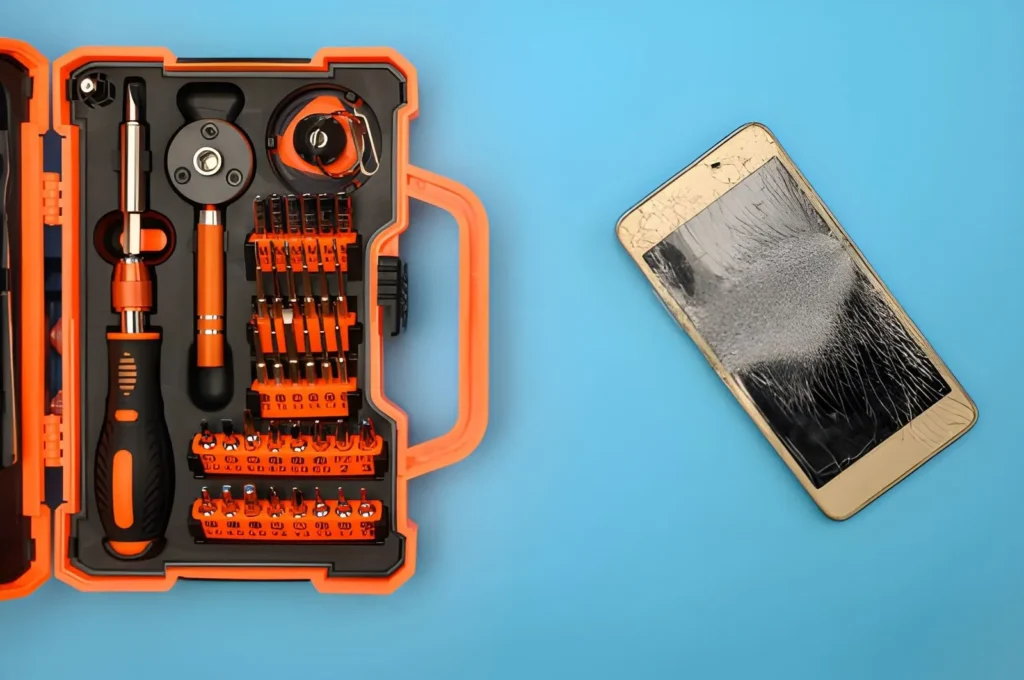
Seek professional repair services when your phone experiences severe overheating, battery swelling, water damage, persistent charging failures, or physical screen damage.
Avoid attempting complicated internal repairs without proper equipment and technical knowledge.
Choosing an authorized or reputable repair provider can help protect your device and personal information.
Conclusion
Understanding common smartphone problems and how to fix them helps users maintain better device performance and avoid unnecessary expenses. Issues such as rapid battery drainage, overheating, slow performance, application crashes, and connectivity failures often have straightforward solutions.
Regular software updates, proper charging habits, storage management, and preventive maintenance can significantly improve smartphone reliability.
Also Read About: How Property Taxes Affect Homeownership Costs: A Complete Guide for Homeowners

Welcome to Prayersgalaxys ! I’m Abdul Mannan Haider. Christian Faith Writer | 10+ Years Bible Study Experience | Founder of (prayersgalaxys.com)
Sharing prayers, Daliy Bible Verses and biblical wisdom to strengthen your faith.
Abdul Mannan Haider
Welcome to Prayersgalaxys ! I'm Abdul Mannan Haider. Christian Faith Writer | 10+ Years Bible Study Experience | Founder of (prayersgalaxys.com)
Sharing prayers, Daliy Bible Verses and biblical wisdom to strengthen your faith.